LED All-in-One Meeting Screen
108"–163" integrated LED conference screens with wireless casting — unbox, plug in, present.
How to choose all-in-one LED displays
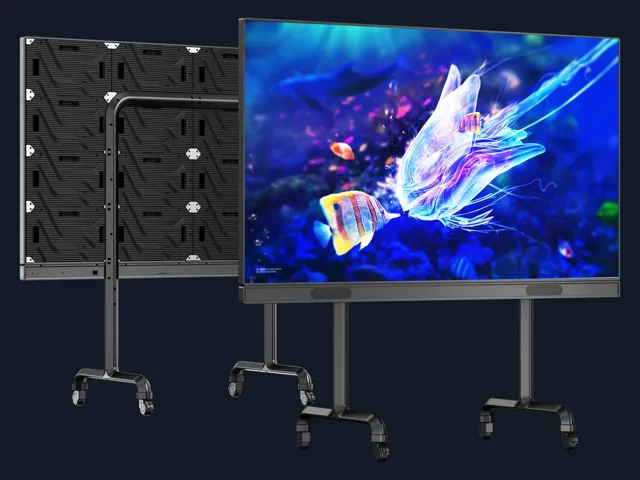
An all-in-one LED meeting screen packages the LED wall, controller, audio, wireless casting and movable or wall-mounted structure as one product. It replaces the integration work normally required for a custom fine-pitch wall and gives meeting rooms, classrooms and executive spaces a direct-view image that remains clear with the lights on.
Selection starts with room depth and collaboration workflow. Screen size should match the farthest participant, while pixel pitch and resolution protect text readability for the nearest seats. Touch, camera, microphone and operating-system requirements should be confirmed as part of the meeting platform rather than added after the display arrives.
Size the screen for the room
108–163 inch formats cover different seating depths. Compare physical size, native resolution and the smallest text shown in real meetings; a larger wall does not help if the source computer is configured poorly.
Define collaboration functions
Confirm wireless casting methods, HDMI and USB-C inputs, touch requirement, split-screen use and compatibility with the room's conferencing system. The goal is one-button meetings, not another collection of adapters.
Plan delivery and support
Check lift and doorway dimensions, mobile-stand stability, wall structure, local power and installation route. Request spare modules, remote commissioning and user training so facilities teams can operate the system confidently.
Commission the complete meeting experience
Acceptance should use the laptops, phones and conferencing platform used by the customer, not only a factory test video. Verify cold start, wireless casting, wired inputs, audio, touch or annotation, camera framing and text readability from the nearest and farthest seats. Confirm administrator credentials, firmware recovery, spare modules and remote-support contacts. Facilities staff should receive a one-page start-up guide and know how to switch sources without opening engineering menus. The project is complete when an ordinary meeting starts reliably without a technician in the room.
Other product lines
Get a factory-direct quote
Tell us your screen size, pixel pitch or application — an engineer replies with a detailed quotation within 12 hours on business days.